
Schedule and publish social in one workspace
The approval workflow, queue, and calendar that marketing teams and agencies use to manage every brand from one place.
Free 14-day trial · No credit card required
Built for teams that publish every day
Agencies
Keep every client account in its own workspace and send a whole week for approval through a single link. Unlimited team members on every plan.
Marketing teams
One calendar for the entire company. Draft, approved, scheduled, and published always in view. No side spreadsheet and no chasing status in Slack.
Freelancers and social media managers
Take on more clients without more busywork. Clients approve by email without creating an account, and one dashboard replaces a dozen tabs.
Content creators
Record once, publish everywhere. Adapt the copy per network in a single editor and let Reels, Shorts, and TikToks go out on time by themselves.
Channels Available in PostRite
Social scheduling tools break with real team workflows
Too many handoffs before publish
Social teams still handle approvals across email, Slack, and DMs. Context gets lost, revisions slow campaigns, and posts miss timing.
One campaign, multiple fragmented tools
When planning lives in one tool and publishing in another, your calendar becomes unreliable and teams waste time reconciling status.
No operational view across brands
Teams managing multiple brands need one place to track drafts, approvals, schedules, and published posts without tool switching.
Social media publishing built for real teams
PostRite is a social media management and scheduling platform that centralizes the calendar, publishing queue, and approval workflow for marketing teams and agencies managing multiple brands.
Connected publishing workspace
Centralize channels, scheduling, and post status in one command center instead of managing social across scattered tabs.
Queue and calendar always in sync
Plan campaigns by week or month, then manage execution day by day. Draft, approved, scheduled, and published states stay visible at all times.
12+ platforms, one operational layer
Schedule posts across Facebook, Instagram, Threads, X, LinkedIn, TikTok, YouTube, Pinterest, Google Business, Discord, Telegram, WhatsApp, Bluesky, and Mastodon from one workflow.
Approvals and workflows
Send approval links by email before publishing. Streamline your team's review process and keep your schedule moving.
Instagram automation for comments and DMs
Create Instagram Flows that automate comments and messages for different goals. Answer questions, send information, share links, capture leads and create personalized experiences without following every interaction by hand.
Reply and chat automatically
Set up Flows to reply to comments and DMs based on how your audience interacts. Use words or phrases like “I WANT IT”, “LINK” or “GUIDE” to start conversations and automatically send the information people are looking for.
Turn interactions into conversions
Use Flows to hand out materials, promote offers, share coupons, capture leads or send people to a specific page. Create different Flows for each post and goal.
Scale across accounts
Manage Flows for different profiles and locations from the same setup. Ideal for franchises, multi-location brands and agencies managing accounts for many clients.
See PostRite in action
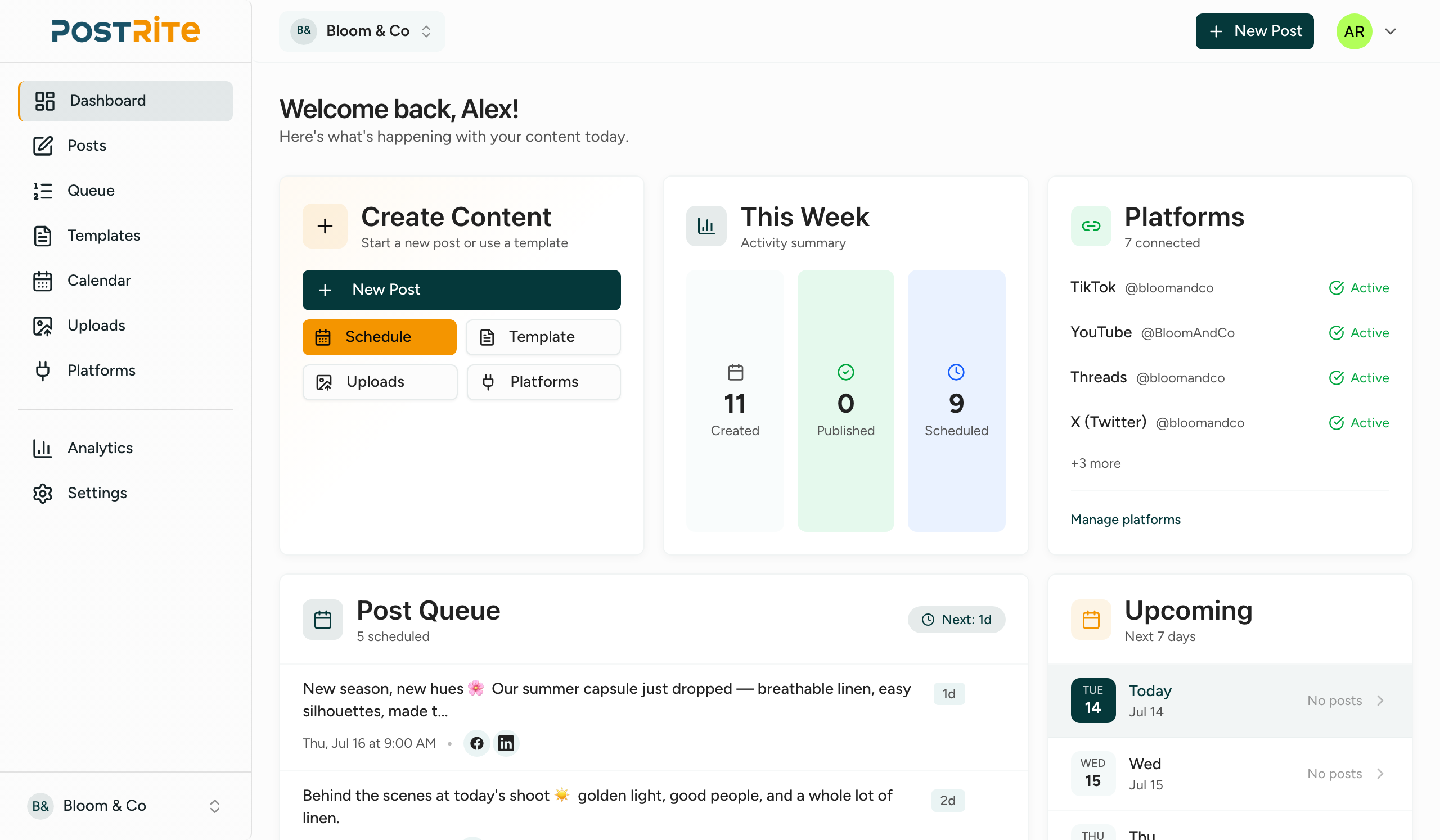
Plan, queue, and compose across every platform — from one clean workspace.
A calendar in your timezone
Drag-and-drop scheduling across month, week and day — with an agenda view on mobile.
Your whole pipeline at a glance
See what's scheduled, publishing and published — and catch issues before they go out.
Compose once, tailor per platform
Per-platform previews, character counters and media crops before you hit schedule.
Every post, and what happened to it
Filter drafts, scheduled, published and failed posts — and read the exact platform error when something doesn't go out.
Every account, in one place
Connect Facebook, Instagram, LinkedIn, X, TikTok, YouTube, Threads and more — and see at a glance which connections are healthy.
Stop rewriting the same post
Save the posts you send every week as templates with variables, then fill them in and schedule.
Answer automatically, hand over when it counts
Build the conversation on a canvas: reply to the comment, send the DM, then pass it to a person.
Let AI assistants like Claude post for you
PostRite runs a hosted MCP (Model Context Protocol) server, so AI assistants such as Claude can create, schedule, and manage your posts through conversation — secured with OAuth 2.1 and fully under your control.
Create & schedule by chat
Ask Claude to draft, schedule, reschedule, or retry posts across your connected platforms — no dashboard required.
Secure and permissioned
OAuth 2.1 with per-workspace opt-in. The owner enables it, you approve the scopes, and access is revocable at any time.
In sync with your workspace
Assistants use the same org-scoped permissions, templates, media, and limits as your team, so the calendar and queue always stay consistent.
Schedule the launch post to Instagram, LinkedIn and TikTok for Tuesday at 9am, with the teaser video.
I'll pull your connected accounts and the media, then dry-run it before anything is saved.
- Read connected accountslist_platform_connections3 accounts
- Read media fileslist_media1 video
- Validate without publishingvalidate_postno errors
- Schedule the postcreate_postscheduled
Scheduled for Tuesday at 9:00 — one post going out to all three accounts. Want me to send it for approval first?
Get sign-off before anything goes live
Route scheduled posts to clients, managers, or teammates for review — by email, no PostRite account needed. They see a branded, platform-accurate preview and approve, request changes, or reject.
Client & manager sign-off
Send a single post — or a whole week as one batch — to up to five approvers. Any one of them can approve, request changes, or reject from a private link, with previews for every platform.
Nothing publishes unreviewed
Posts wait in Pending Approval and only schedule once approved. Links are secure, expire on a schedule you set, and send an automatic reminder before they do.
A clear audit trail
Every request, reminder, and decision is recorded on a timeline — so you always know who reviewed what, and when.
Purpose-built for modern social media teams
Simple, transparent pricing
Choose the plan that fits your team. Your free trial starts as soon as you sign up.
Basic
For individuals getting started
- 3 social accounts
- 250 posts per month
- 5 GB storage
- 3 chat flows
- All 12+ platforms
- Unlimited team members
- Templates
- Media library
- Approval workflow
- Calendar & queue
- Push notifications
- AI assistants (MCP)
Standard
For creators and small businesses
- 6 social accounts
- 500 posts per month
- 10 GB storage
- 6 chat flows
- All 12+ platforms
- Unlimited team members
- Templates
- Media library
- Approval workflow
- Calendar & queue
- Push notifications
- AI assistants (MCP)
Advanced
For agencies and power users
- 12 social accounts
- 1000 posts per month
- 20 GB storage
- 12 chat flows
- All 12+ platforms
- Unlimited team members
- Templates
- Media library
- Approval workflow
- Calendar & queue
- Push notifications
- AI assistants (MCP)
Each platform destination counts as one post. For example, publishing to Facebook, Instagram, and LinkedIn counts as 3 posts. Only successfully published posts count towards your limit.
Frequently asked questions
Put your whole social calendar on autopilot
Connect your accounts, plan the week, and let PostRite publish — with approvals whenever you need them. Free for 14 days.
Set up in minutes. Cancel anytime.