
Flows
A flow answers messages for you. When someone comments a word on your post or sends a message, the flow replies, offers buttons, follows the branch they pick, tags them, and hands the conversation to a person when needed.
This is one of the two kinds of automation. The overview compares it with triggers, which publish a post instead of answering a person.
What a flow is made of
You draw a flow as steps. Each one does a single thing, and the next step follows from what the contact did.
- Send message: the direct message the contact receives. If you use their name, it is filled in. You can attach up to five files from your media library (images, videos, audio and PDF documents), within what each account's channel can send. Instagram and Messenger accept images up to 8 MB and a video, audio file or PDF up to 25 MB. WhatsApp accepts images up to 5 MB, video and audio up to 16 MB and a PDF up to 100 MB. A file that one of the flow's accounts cannot send is greyed out, with the reason. You can add up to three link buttons that open a page. They count toward the same limit of three buttons as the question that follows.
- Reply to comment: a public reply under the post. Write up to five versions and one is picked for each comment, so a busy post does not repeat itself.
- Wait: pause before the next step, from a few seconds up to 23 hours. The limit exists because a longer wait would end outside the window in which the platform still lets you answer.
- Wait for reply: offer up to three buttons and send each answer down its own path, with a separate path for no answer. The buttons are sent with the message right before this step, so ask the question there. The flow waits up to seven days for an answer.
- Ask for information: ask for an email address, a phone number or a line of text, and save a valid answer on the contact under a name you choose. A valid answer, an invalid answer, and no answer each take their own path. You can use the answer in later messages and check it in a condition. It appears in the contact's details and in the contacts export from Messages. On Messenger, the contact can tap their own address instead of typing it.
- Condition: branch on a tag, a saved detail, the channel, or whether it is within business hours. Business hours are 9:00 to 18:00 in your workspace's timezone and cannot be changed yet.
- Add tag, Remove tag, Set detail: remember something about the contact and use it later.
- Hand to a human: pause the flows on that conversation and leave a note for your team.
- End: stop the flow here.
What starts a flow
Only one flow answers each message. Two flows never both reply to the same hello. When more than one flow matches a message, the most specific one answers: a story mention, a story reply or a referral link comes before a first message, and a first message before any message. Among flows that are equally specific, the one created first answers.
- Message received: every message, or only the ones matching your keywords.
- First message ever: the opening line of a new conversation.
- Comment received: the "comment a word, get a DM" pattern. Pick any post, or several specific ones. It works on Instagram accounts and on Facebook Pages, and a Facebook Page starts a comment flow only when you select it under Accounts.
- Story reply: someone answers your story.
- Story mention: someone mentions your Instagram account in their own story. Instagram opens a direct message conversation and the flow answers there. It works on Instagram only, and a private account triggers it only if it follows you. A mention has no text, so keywords do not apply.
- Referral link: a link that carries a reference you set, so you know where the person came from.
- Menu or ice breaker: someone taps an ice breaker, the Get Started button or a menu item that points to the flow. Set those up under Menu and ice breakers in the inbox.
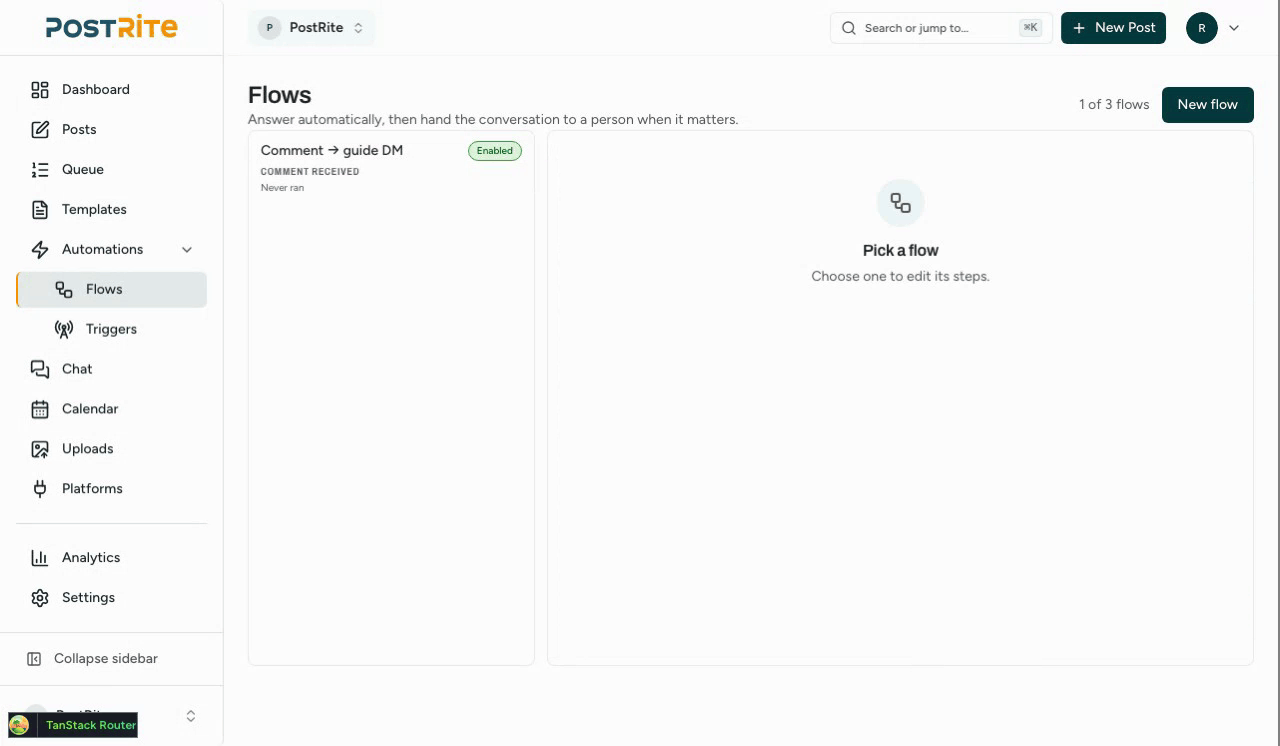
The Flows list shows, under each flow's name, a sentence that says what starts it, so you can tell similar flows apart.
Build one
- Open Flows in the menu and pick a ready-made flow: comment a word and get a DM, reply to a keyword, welcome a first message, answer a story reply, or thank people who mention you in their story. Each one comes with its trigger already set. You can also choose Start from blank.
- Click the dark When block at the top of the canvas to check what starts the flow (a ready-made flow has already filled this in) or choose it yourself. The settings open beside the canvas, or in a sheet from the bottom on a phone. Add keywords and pick how to match them: contains, exact, or starts with.
- Choose the accounts it answers on. If you leave them all unchecked, it answers on every messaging account in the workspace. A comment flow is the exception: with none checked, it answers every Instagram account, and a Facebook Page only if you check it.
- On Steps, draw what happens, then click Save. A step that is still missing something shows this on its card before you save.
- Check the pill in the header (Ready to turn on, or how many things are left), fix what it lists, and turn the flow on.
A new flow starts off and sends nothing until you turn it on. When you do, PostRite first shows you what it answers and on which accounts. A flow with no keywords replies to every message, so check this before it starts answering.
Working on the canvas
A flow is drawn from the top down: the trigger first, then the steps.
- The trigger is the first block. It reads When in a dark block, followed by what starts the flow. Click it to open the trigger settings beside the canvas, or in a sheet from the bottom on a phone. There is no Trigger tab any more: the tabs are Steps and Conversations. On a phone the list and the map switch at the top, and Conversations, Rename and Delete are in the ⋯ menu.
- Adding a step. Under every exit that leads nowhere yet there is a +: it adds a step right there, already connected, chosen from a list grouped as Talks to the contact, In silence and Ends. The Add step button above the canvas, beside Results and Test, opens the same list, and you can still drag steps to move them. Roles below Admin can see the flow but do not get these controls.
- The readiness pill. While a flow is off, the header says how many things are left before you can turn it on, or that it is ready. Open it to see what is done, what is missing and any warnings; clicking a missing item takes you to that step. When the flow is ready, the same panel has the Turn on button, which still asks you to confirm and shows who the flow will answer. Turning on starts the saved version, so save your changes first.
- On a phone the steps show as a list by default, with a List | Map switch. The list is the flow read from top to bottom, each branch titled by its answer (for example “If they reply …” or “If there is no reply”), with a dashed Add step row where an exit leads nowhere yet. Map is the canvas, for seeing the whole flow.
Test a flow
The Test button runs a chat simulation of the flow as it is drawn on the canvas, unsaved changes included. Nothing is sent, and it works for every role.
- You play the contact: pick a reply button, type an answer, or choose They do not reply.
- At a condition there is no real contact to check, so you choose which way it goes.
- The test stops at a step that is not complete and tells you what is missing.
- It also stops where a real run would: when a person takes over, at the end of the flow, when no reply comes in time, or after the same number of steps a real run is allowed, so a loop does not repeat forever.
See what happened on each step
The Results toggle (on a computer) draws on each step how many conversations reached it, how many went down each branch and where they stopped or failed. It counts only the most recent conversations of that flow, up to 30, so every number is out of that sample and not an all-time total. With no conversations yet it says so. For one conversation at a time, use Conversations.
Comment a word, get a DM
This is the flow most people want, and the one with the most rules. Start it from a comment, then:
- Choose any post, or several specific ones, picked by thumbnail. The list is the account's own feed, so it includes posts you published elsewhere, not only the ones PostRite sent. On a Facebook Page it lists the Page's own posts, not the ones visitors write on it, and a flow with no post chosen answers on those too. On a boosted post, comments on the ad count too.
- Set the keywords that fire it and how to match them.
- Add a Reply to comment step to answer publicly.
- Then send the direct message. It reaches someone who commented but never wrote to you, which is the only case the platforms allow.
That direct message is a single opening. The platforms allow one private reply per comment, and only for about a week after the comment was written: an older comment is recorded in the flow's runs as too old, and nothing is sent. The message includes the text and its buttons. Files on that step are left out, because each file would be one more message, and a link button is added to the text as its address. After that, the normal reply window applies. See Chat.
If you already have a comment flow switched on with no post chosen, it now answers comments on every post on the account, including posts published outside PostRite, which it could not reach before. Open its trigger and pick posts if you want to narrow it.
Guardrails
A flow writes to real people, so several limits apply by default.
- One flow per message: two flows never both answer the same hello.
- A cooldown and a daily cap, both per contact, so nobody is answered in a loop.
- A step budget, so a menu that loops back on itself still stops.
- A history that records the runs that did nothing, and why. Check it when a flow did not reply.
- Pausing the flows on a conversation stops every flow on it at once.
When a person should take over
Add a Hand to a human step where the flow has done all it can, and the flow pauses itself on that conversation. Anyone who can edit (an editor, an admin or the owner) can also pause it by hand from the contact panel in Messages. Viewers do not have that control. No new flow starts while a conversation is paused. Messages a flow sent are labelled in the thread, so whoever takes over can see what was already said.
How many flows you can have
The number of flows a workspace can hold depends on your plan. The pricing page lists the number for each plan. Nothing is deleted if you move to a smaller plan. Flows over the limit stop answering, and their history says so, until you upgrade again. While the subscription is restricted, no flow runs, and flows waiting on a contact are closed. Editing flows still works.