
Instagram Message Automation: How to Reply Faster and Generate More Sales
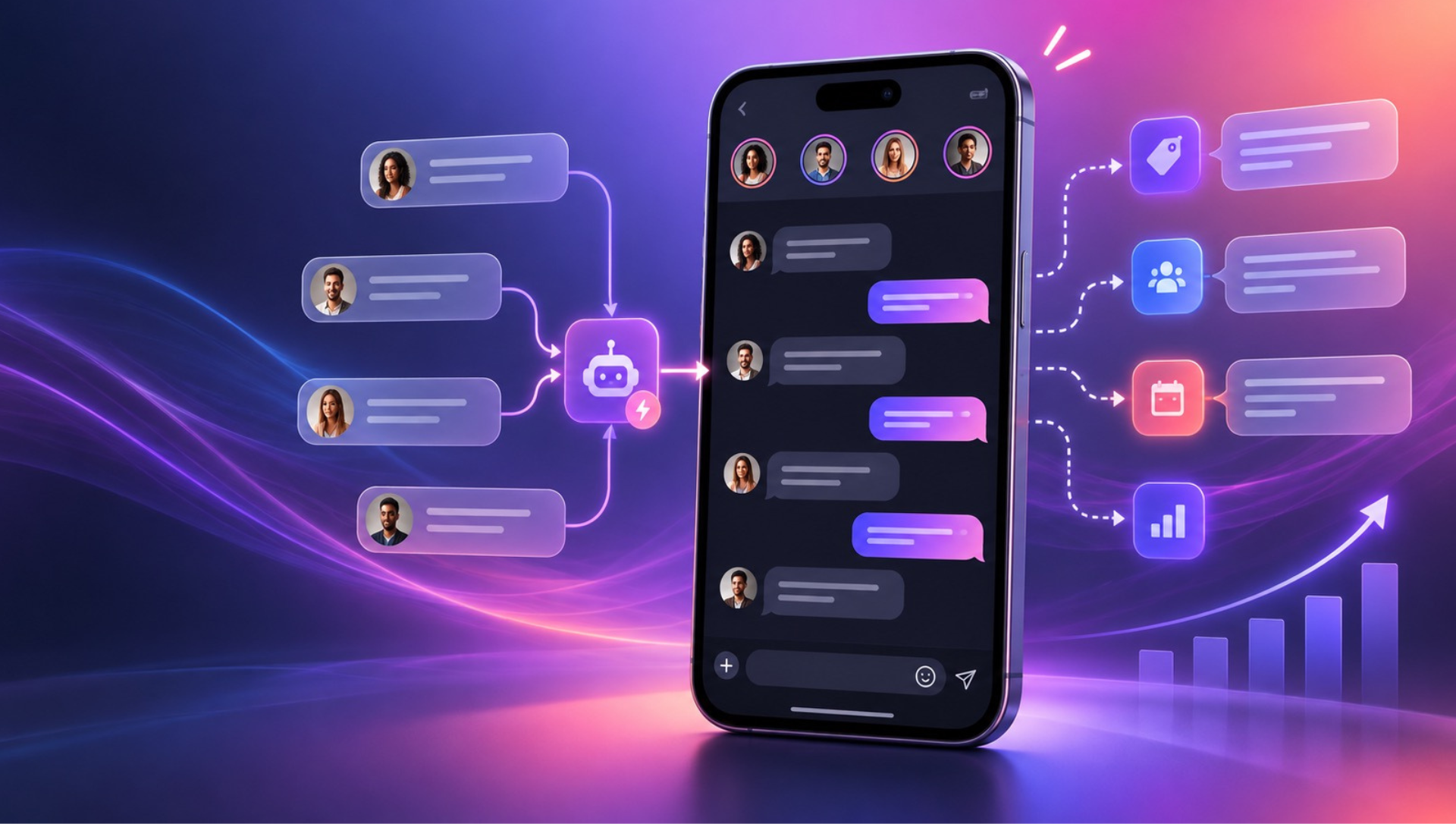
If questions like these show up in your Instagram DMs every day, you have probably noticed a pattern:
“How much does it cost?”
“Do you ship to my city?”
“Is it still available?”
“Can you send me the catalog?”
The more your Instagram account grows, the harder it becomes to answer every message manually. This is especially true for marketers, creators, social media managers, agencies, and small teams handling campaigns, product launches, client inquiries, and sales from the same inbox.
The problem is not answering customers. The problem is having to do it during a meeting, outside business hours, while commuting, or when dozens of messages arrive at once.
Response speed also affects the customer experience. Someone who was ready to buy may lose interest simply because they did not get an answer when they were ready to make a decision.
That is where Instagram message automation comes in.
With the right automations, you can instantly answer common questions, share useful information, present options, qualify a lead, and route the conversation to someone on your team. This does not mean turning your customer service into a robot.
The idea is simpler: automate the repetitive parts and let your team focus on conversations that need context, judgment, and a human touch.
What is Instagram message automation?
Instagram message automation is the use of rules and workflows to automatically respond to specific actions taken by Instagram users.
Depending on the tool and available integrations, an automation can be triggered when someone:
- Sends a direct message;
- Starts a new conversation;
- Comments on a post or Reel;
- Replies to a Story;
- Uses a specific keyword;
- Clicks a link from a campaign or referral source.
After the trigger, the system can send a message, present options, share a link, collect information, apply a label, or route the conversation to a team member.
In practice, this lets you build small automated customer journeys inside Instagram.
For example:
Someone comments “INFO” on a post → receives a private message → chooses “See pricing” or “Talk to someone” → gets the requested information or is connected with your team.
The goal is not to automate the entire conversation. The goal is to start the conversation faster and make the next step clear.
Why automate Instagram DMs?
For many businesses and creators, Instagram is no longer just a content channel. It can also be a:
- Customer support channel;
- Sales channel;
- Lead generation channel;
- Product discovery channel;
- Launch and campaign channel;
- Pre-purchase question-and-answer channel.
That creates an operational challenge.
Imagine an online store receiving dozens of daily questions about pricing, shipping, sizes, and availability. If every question has to be answered manually, someone on the team has to stop what they are doing to repeat the same information.
Instagram DM automation can handle that first layer of support.
Instead of:
Customer → question → waiting → team member replies
you can create:
Customer → question → instant answer → next-step choice → team member joins when needed
The difference may seem small, but it becomes significant as message volume grows. For creators, it can mean delivering a resource immediately after a keyword comment. For agencies, it can mean managing multiple client accounts without copying and pasting the same replies. For ecommerce teams, it can mean answering purchase questions before a shopper abandons the conversation.
When should you automate Instagram messages?
You do not need to automate every interaction. In fact, trying to automate every conversation can make the experience more complicated and less human.
Automation is usually most useful when a situation is:
- Frequent: your team answers the same question many times;
- Predictable: there is a clear answer or a simple next step;
- Repetitive: conversations tend to start in a similar way;
- Time-sensitive: the customer expects a quick response;
- Scalable: interaction volume may increase during a campaign, launch, or promotion.
Your business may benefit from Instagram automations if:
- Your team spends too much time answering repeated questions;
- Many messages go unanswered or receive late replies;
- Customers ask for information that is already available on your website;
- Campaigns generate a high volume of comments and DMs;
- You receive messages outside business hours;
- Your team keeps copying and pasting the same replies;
- Leads reach sales without enough context;
- You lose opportunities because it takes too long to respond.
If several of these situations sound familiar, there is probably at least one part of your Instagram customer journey that you can automate.
What can you automate on Instagram?
The exact possibilities depend on your account, integrations, permissions, and the platform's current rules. However, several use cases are especially practical for marketers, creators, and customer-facing teams.
1. Frequently asked questions
Questions such as these are good candidates for automation when the answer is clear:
- “How much does it cost?”
- “How long does shipping take?”
- “Do you ship to [city]?”
- “What payment methods do you accept?”
- “Is it available?”
- “What sizes do you have?”
- “Where are you located?”
You can configure a keyword or workflow that shares the relevant information immediately.
For a creator or coach, the same approach might answer questions about program dates, availability, pricing tiers, or how to book a call. For an agency, it can provide a consistent first response across multiple client accounts.
2. Catalogs, menus, guides, and other resources
Another simple use case is automatically delivering something the customer is looking for.
For example:
“Want our new product guide? Comment GUIDE and we will send it to you.”
The person can automatically receive a link or resource. The same approach can work for:
- Product catalogs;
- Restaurant menus;
- Pricing sheets;
- Ebooks and guides;
- Discount codes;
- Product pages;
- Event registrations;
- Lead magnets;
- Consultation or quote request pages;
- Creator media kits;
- Course or newsletter sign-up pages.
This is often one of the easiest ways to start because the customer has already made a clear request.
3. Lead generation from comments
You have probably seen posts with calls to action such as:
“Comment GUIDE and we will send you the details by DM.”
This is one of the most recognizable Instagram automation workflows.
The logic is simple:
Post → comment → private message → next action
During a campaign, someone can comment a keyword and automatically receive information about an offer, download a resource, join a waitlist, or choose what they want to learn next.
This turns a public interaction into an opportunity for a more relevant private conversation.
4. Story replies
Instagram Stories can also act as triggers for automation.
Imagine a brand publishing:
“Our new collection launches tomorrow. Want early access?”
Someone who replies to the Story could automatically receive:
“Absolutely. Would you like the price, availability details, or the early-access link?”
From there, the person chooses what they want to know.
This type of workflow can be especially useful for:
- Product launches;
- Promotions;
- Events and webinars;
- New products;
- Waitlists;
- Exclusive content;
- Creator collaborations;
- Limited-time offers.
5. Welcome messages for new conversations
A new conversation can begin with an automated welcome message, such as:
Hi, {first name}! Welcome. How can we help?
Products and pricing
Shipping
Support
Talk to someone
Instead of leaving the person waiting while someone on your team identifies the topic, you immediately offer clear paths forward.
Instagram sales automation: turn a question into an opportunity
One of the biggest advantages of automation is that it does not have to stop at the first answer.
Imagine someone asking:
“How much does it cost?”
You could simply reply:
“It is $99.”
Or you could use the interaction to understand what the person needs next:
“It is $99. Would you like to see the available options or learn more about shipping?”
Now the conversation has a next step.
An Instagram sales workflow can help you:
- Answer the initial question;
- Identify the person's interest;
- Present relevant options;
- Share product or service information;
- Collect useful details;
- Route the conversation to a salesperson or support specialist.
This is particularly useful for businesses where customers need a few details before they buy. It also works well for creators selling courses, memberships, digital products, events, or services.
The most effective sales automation does not pressure the customer. It reduces friction and makes it easier to find the right information.
Instagram automation for lead generation and qualification
The same logic can be used to generate and qualify leads.
Imagine a company publishing:
“Want our free strategy guide? Comment GUIDE.”
The automation can deliver the guide and then ask:
“Which topic are you most interested in?”
Based on the answer, the contact can receive a label or be sent into a different workflow.
For example:
Commented GUIDE
↓
Receives the resource
↓
Selects an area of interest
↓
Contact receives a label
↓
Sales or marketing team receives a contextualized lead
This means your team does not have to start every conversation from zero.
For marketing teams, the information collected in the first interaction can improve segmentation. For creators, it can help distinguish people interested in a free resource from people ready to buy. For agencies, it can create a repeatable lead-generation process across campaigns.
How does Instagram comment automation work?
One of the most popular formats is automation triggered by comments.
The business or creator publishes content with a call to action, such as:
“Comment INFO to receive the details.”
When someone comments the selected keyword, the workflow can start a private interaction.
A basic flow might look like this:
- The person comments “INFO.”
- The automation replies to the comment.
- A private message is sent.
- The person receives a set of options.
- The workflow delivers the requested information.
- The conversation is handed off to a team member when necessary.
This model can be used for:
- Product launches;
- Promotions;
- Discount codes;
- Free resources;
- Events;
- Waitlists;
- Products and services;
- Catalogs;
- Newsletter or community sign-ups.
Avoid repetitive public replies
If dozens of people comment the same keyword, replying with the exact same public text every time can make the interaction feel mechanical.
When your tool allows it, use a few natural variations:
- “Perfect! I just sent the details to your DMs 😊”
- “Sent you a message with all the information.”
- “Done! Check your DMs.”
- “The details are on their way by message.”
- “It should be in your DMs now. Take a look!”
The message still serves the same purpose, but the communication feels less repetitive.
Instagram automation rules: why messaging windows matter
Instagram message automation must follow the rules and technical requirements of the platform and the integration you are using.
Meta may apply different requirements depending on factors such as:
- The type of interaction;
- Whether the customer initiated the conversation;
- The time since the last interaction;
- The channel or messaging surface;
- The Instagram account type;
- The permissions and access level available to the integration;
- Meta's current policies and product limitations.
This means an automation tool cannot simply send unlimited messages to anyone at any time. Some actions may only be available for eligible professional accounts or specific interaction types. Comment-to-DM flows, Story interactions, and regular customer-initiated conversations may have different requirements.
Before launching a workflow, confirm that the use case is supported by the current Meta documentation and by your account's permissions. Build within the platform's rules rather than trying to work around them.
It is also good practice to make the workflow transparent, avoid unwanted promotional messages, respect opt-outs, and give people a clear path to human support.
Automation is not the same as automated customer service
This distinction matters.
Automation means letting specific steps in a process happen automatically. Automated customer service can imply trying to handle the entire conversation without human intervention. Those are not the same thing.
A strong workflow might look like this:
Customer asks a question → automation responds → customer chooses an option → information is delivered → team member takes over.
In other words, automation works as the first layer of customer service. It handles predictable tasks and leaves situations that require context to your team.
When should you hand the conversation to a person?
This is one of the most important decisions in any Instagram automation strategy.
Automation is good at predictable tasks. People are better at situations involving:
- Negotiation;
- Complaints;
- Problems or failed orders;
- Complex questions;
- Exceptions;
- High-value purchases;
- Custom requests;
- Sensitive customer situations;
- Final purchase decisions.
Your workflows should always include a clear path to human support, such as:
“Would you like to talk to someone on our team?”
When the person chooses that option, the workflow can stop and route the conversation to a team member.
This avoids one of the most frustrating customer experiences: asking for a human and continuing to receive automated replies.
How to create Instagram automations that feel human
A good automation does not need to pretend to be a person. It needs to be useful.
Be direct
Do not turn the first message into a long paragraph. Start with the information the person is most likely looking for.
Offer clear options
Instead of asking:
“How can we help?”
try:
“Are you looking for product information, shipping details, or support?”
The less effort the customer needs to make, the better.
Do not create endless flows
If someone has to click through eight options to get a simple answer, there is probably too much automation. Keep the workflow focused on one useful outcome.
Use your brand voice
Automation does not have to sound corporate. If your brand is informal, write in an informal style. If your audience expects a more professional tone, reflect that instead.
Make human support easy to find
Not every question can be answered by a workflow. Make that clear and include a human-support option early enough in the journey.
Automate the most repetitive task first
Do not start by building the most complex workflow possible. Start with the question your team answers every day.
Common Instagram automation mistakes
Automating everything
Not every conversation needs automation. The more complex the situation, the more valuable human intervention may be.
Writing messages that are too long
Someone in the DMs usually wants a quick answer. Break information into smaller steps and use links when a longer explanation is necessary.
Failing to test the workflow
Before activating an automation, complete the entire journey as if you were a customer. Test different answers, unexpected messages, missing information, and handoff scenarios.
Using overly broad keywords
A keyword that is too generic may trigger a workflow in conversations that have nothing to do with it. Use specific triggers and test how they behave in real conversations.
Ignoring edge cases
Customers may write something different from what you expected. Always ask:
“What happens if the person does not choose any of the options?”
Give the person a fallback message, a way to restart the flow, or an option to contact your team.
Not monitoring results
After activating a workflow, track:
- How many people entered the flow;
- How many received the message;
- How many selected each option;
- How many conversations reached a team member;
- Where people abandoned the conversation;
- How many leads converted or requested the next step.
These insights help you improve the automation over time.
What are PostRite message workflows?
PostRite workflows let you build a sequence of actions instead of creating only one isolated auto-reply.
A workflow can combine actions such as:
| Step | How it can be used |
|---|---|
| Send a message | Send text, links, or files |
| Reply to a comment | Respond publicly to the interaction |
| Wait | Create a delay before the next action |
| Wait for a reply | Present options and wait for the person's choice |
| Check a condition | Route the conversation based on specific conditions |
| Label or save data | Record interests or other useful information |
| Hand off to a person | Stop the automation and route the conversation to your team |
| End the workflow | Finish the automated journey |
This lets you start with a simple automation and make it more sophisticated as you learn how your audience behaves.
Example: create an Instagram sales workflow
Imagine an ecommerce brand launching a new collection.
The post says:
“Want the full collection guide? Comment CATALOG.”
The workflow could be:
1. The customer comments CATALOG
PostRite replies publicly:
“Perfect! I just sent the details to your DMs 💌”
2. The customer receives a private message
Hi, {first name}! I saw that you want to explore our new collection. What would you like to see?
View the catalog | See pricing | Talk to someone
3. The customer chooses an option
If they select View the catalog, they receive the link. If they select Talk to someone, the conversation is routed to the team.
The workflow did not try to complete the entire sale by itself. It removed repetitive work and brought in human support at the right moment.
How to create your first Instagram automation in PostRite
Start with one simple use case. The basic process is:
- Go to Automations → Workflows.
- Choose a template or start from scratch.
- Define the trigger.
- Choose the accounts that should respond.
- Add the conversation steps.
- Configure any required conditions.
- Add a human-support option.
- Test the workflow.
- Activate the automation.
- Monitor the execution history.
Templates can help you get started with common scenarios, such as responding to a keyword, starting a conversation, or interacting with comments.
Before activating the workflow, review the triggers carefully. A setting that is too broad could cause an automation to respond to messages that should not start that workflow.
Instagram, Messenger, and WhatsApp in one inbox
Automating the first message solves only part of the problem. Once the customer replies, your team still needs to manage the conversation.
PostRite brings Instagram, Messenger, and WhatsApp conversations into one inbox. This helps your team:
- Centralize conversations;
- Identify contacts that need human support;
- Review the conversation history;
- See what has already been answered;
- Take over conversations started by automations;
- Avoid making customers repeat information.
Automation handles the beginning of the conversation. Your team takes over when the conversation needs context.
7 Instagram automation ideas to start today
If you are not sure which workflow to create first, start with one of these:
1. “How much does it cost?”
Automate recurring pricing questions and present relevant products, packages, or options.
2. “Send me the catalog”
Automatically deliver a catalog, menu, media kit, pricing page, or product collection.
3. “I want it”
Use comments on posts to start a private conversation with people who express buying intent.
4. Story replies
Turn Story replies into structured conversations about launches, promotions, events, or exclusive content.
5. Welcome messages
Show the main paths to people who start a conversation with your brand or creator account.
6. Lead qualification
Ask about the person's interest, need, budget, or preferred product before routing the lead to sales.
7. Initial support routing
Identify whether the person needs sales, support, product information, partnership information, or something else.
The best workflow to start with is not necessarily the most sophisticated one. It is the one that removes a repetitive task from your team's workload.
Frequently asked questions about Instagram automation
Can I automate Instagram DMs?
Yes, when the Instagram account, integration, permissions, and use case are compatible with the platform's current requirements. The available actions can vary by account type and interaction.
Can I automate Instagram comments?
Yes. You can create automations triggered by specific interactions on posts or Reels, as long as the account and integration support the action and the workflow follows Meta's current rules.
Can Instagram automation reply to any message?
Not necessarily. Meta applies rules, permissions, and limitations to different types of interactions. Before launching a workflow, confirm that the intended use case is supported.
Does Instagram automation replace a customer service team?
No. The best use of automation is to handle repetitive tasks and route conversations that require context to a person.
How do I know whether an Instagram automation is working?
Track interaction volume, delivered messages, choices made by users, handoffs to your team, abandonment points, and downstream actions such as a purchase, booking, or lead qualification.
Is a single message or a workflow better?
It depends on the goal. If the person only needs a link, one message may be enough. If you need to understand their interest, present options, collect information, or route them to different paths, a workflow is more appropriate.
Start with the question your team answers most often
You do not need to build ten Instagram automations at once. Start by looking at your DMs.
What question appears every day?
- “How much does it cost?”
- “Is it available?”
- “Do you ship here?”
- “Can you send me the catalog?”
That is probably your first automation opportunity.
From there, you can expand into lead generation, campaigns, launches, qualification, and sales workflows.
Instagram automation works best when it does not try to replace the customer relationship. It simply removes the repetitive work that keeps your team from focusing on the conversations that matter.
With PostRite workflows, you can build these customer journeys, automate Instagram interactions, and centralize Instagram, Messenger, and WhatsApp conversations in one place.
Automate the beginning of the conversation. Let your team handle what comes next.